
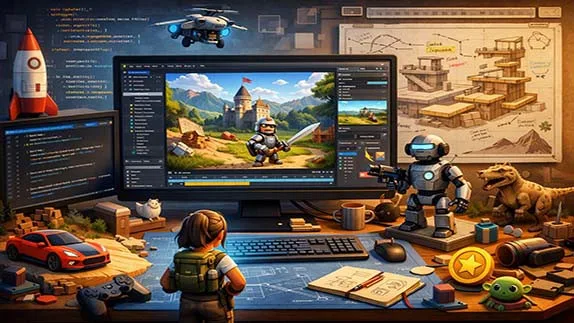
Learn 3D game development from scratch. A beginner-friendly guide to 3D game design, tools, engines, and learning paths
What Is 3D Game Development? A Beginner’s Complete Guide
- 👨🏫 Author: mohammad saleh salmanzadeh
- 🌐 Language: Persian / English
- 📝 Creation Date:
- 📅 Last Updated Date:
- 📂 Category: Game Engines
- 🔗 Sharing:

What Is 3D Game Development? A Beginner’s Complete Guide
3D game development is the process of creating interactive games that take place in a three-dimensional world. Unlike 2D games, where movement is limited to flat surfaces, 3D games allow players to move forward, backward, up, down, and around objects in a realistic space.
Today, 3D games are everywhere—from mobile games and indie titles to large-scale console and PC games. This article explains what 3D game development is, how it works, what tools are used, and how beginners can start learning it, even with no prior experience.
Introduction to 3D Game Development
A video game is an interactive digital experience where players control characters or objects to achieve goals. In 3D game development, these experiences are built inside a three-dimensional environment that simulates depth, distance, and perspective.
3D game development combines creativity and technology. It includes visual design, programming, animation, sound, and logic. While this may sound complex, modern tools have made 3D game development more accessible than ever.
You do not need to be a programmer or artist to start. Many beginners learn step by step and build simple 3D games within months.
What Is 3D Game Development?
3D game development is the process of designing, building, and programming games that exist in a three-dimensional space. In these games, objects have width, height, and depth.
How 3D Games Differ from 2D Games
In 2D games:
Characters move left, right, up, or down
The world is flat
Graphics are usually drawn as sprites
In 3D games:
Characters move in all directions
The camera can rotate and zoom
Objects exist in realistic space
Examples of 3D games include action games, racing games, simulation games, and open-world games.
Core Elements of 3D Game Development
Every 3D game is built from several core components. Understanding these helps beginners see the full picture.
3D Models
3D models are the objects you see in a game, such as characters, buildings, vehicles, and environments. They are created using special software and are made of points, edges, and surfaces.
Examples:
A player character
Trees and terrain
Weapons and items
Textures and Materials
Textures are images applied to 3D models to give them color and detail. Materials define how a surface reacts to light, such as whether it looks shiny, dull, metallic, or soft.
Animation
Animation brings 3D models to life. It controls how characters walk, run, jump, or react. In 3D games, animations are often created using skeletons and joints.
Game Logic
Game logic defines how the game behaves. This includes:
Player movement
Enemy behavior
Scoring systems
Game rules
Game logic is written using programming languages or visual scripting tools.
Game Engines Used in 3D Game Development
A game engine is software that provides the tools needed to create games. It handles graphics, physics, sound, and input so developers do not have to build everything from scratch.
Unity Game Engine
Unity is one of the most popular engines for 3D game development, especially for beginners.
Reasons Unity is beginner-friendly:
Easy to use interface
Large learning community
Supports visual and code-based scripting
Used for mobile, PC, console, and VR games
Unreal Engine
Unreal Engine is known for high-quality graphics and realistic visuals.
Key features:
Advanced lighting and rendering
Blueprint visual scripting system
Used in professional AAA games
While Unreal may feel more complex, it is still accessible to motivated beginners.
Programming in 3D Game Development
Programming is the part of game development that controls behavior and interaction.
Do Beginners Need Programming Experience?
No. Many engines offer visual scripting, where logic is built using blocks instead of writing code. However, learning basic programming concepts is highly recommended.
Common Programming Concepts
Even beginners should understand:
Variables (store information)
Conditions (make decisions)
Loops (repeat actions)
Functions (reuse logic)
These concepts exist in all game engines and languages.
3D Game Physics and Movement
Physics makes games feel realistic.
Physics Systems
Game engines simulate:
Gravity
Collisions
Forces and movement
This allows objects to fall, bounce, and interact naturally.
Character Movement
In 3D games, character movement includes:
Walking and running
Jumping
Rotating and aiming
These movements are controlled through player input such as keyboard, mouse, or controller.
Cameras in 3D Games
The camera controls what the player sees.
Common Camera Types
Third-person camera (camera follows the character)
First-person camera (camera is the character’s eyes)
Fixed camera (camera stays in one position)
Camera control is a key part of good 3D game design.
Sound and Audio in 3D Games
Sound adds emotion and realism.
Types of Game Audio
Background music
Sound effects
Environmental sounds
In 3D games, sound often changes based on distance and direction, creating an immersive experience.
Level Design in 3D Games
Level design is about building the spaces where gameplay happens.
What Makes Good 3D Level Design?
Clear paths and goals
Balanced difficulty
Visual guidance for players
Interesting environments
Good level design helps players understand the game without instructions.
Tools Used in 3D Game Development
Beginners do not need many tools to start.
Common Tools
Game engine (Unity or Unreal)
3D modeling software (Blender is popular and free)
Audio editing tools
Code editor (often built into engines)
Many of these tools are free or offer free versions.
How to Start Learning 3D Game Development
Starting is easier than most people think.
Step 1: Choose One Game Engine
Do not try to learn multiple engines at once. Pick one and stick to it.
Step 2: Learn the Basics First
Focus on:
Moving a character
Controlling a camera
Simple interactions
Avoid complex projects early on.
Step 3: Build Small Projects
Examples:
A simple 3D maze
A basic third-person game
A simple driving game
Small projects teach core skills faster.
Step 4: Practice Consistently
Short, daily practice sessions are more effective than long, irregular ones.
Common Beginner Mistakes in 3D Game Development
Trying to Build a Big Game Too Early
Large open-world or multiplayer games are not beginner projects. Start small.
Ignoring Fundamentals
Skipping basics like movement and physics leads to confusion later.
Giving Up Too Soon
3D game development takes time. Early frustration is normal.
Career Opportunities in 3D Game Development
3D game development skills are valuable beyond games.
Possible Career Paths
Game Developer
3D Artist
Technical Artist
Simulation Developer
VR/AR Developer
These skills are used in entertainment, education, architecture, and training.
Is 3D Game Development Hard to Learn?
It is challenging, but not impossible. With modern tools, clear learning paths, and consistent practice, beginners can make real progress quickly.
The key is patience, focus, and building projects step by step.
Conclusion
3D game development is the art and science of creating interactive experiences in three-dimensional worlds. While it involves multiple skills—such as design, programming, and animation—modern tools have made it accessible to beginners with no technical background.
By starting small, learning the fundamentals, and practicing consistently, anyone can begin their journey into 3D game development. Whether your goal is to create games, build a career, or simply understand how 3D worlds are made, learning 3D game development is a rewarding and future-ready skill.
Want to gain real skills in 3D game development and create professional assets? Enroll in the “Basic Training of 3ds Max 2026” course now and get started
Q1: What is 3D game development?
Answer: 3D game development is the process of designing, building, and implementing games that take place in a three-dimensional space. In these games, objects have length, width, and depth, and players can move in all directions, rotate the camera, and change their view angle. Examples include action, racing, simulation, and open-world games.
Q2: What is the difference between 3D and 2D games?
Answer: In 2D games, movement is limited to left, right, up, and down, and the environment is flat with no depth. In 3D games, however, movement is possible in all directions, the camera can rotate, and the space is designed to resemble the real world. 3D games are more complex but offer a richer experience for players.
Q3: What is the best game engine for 3D game development?
Answer: Unity and Unreal Engine are two popular and powerful engines for 3D game development. Unity is more suitable for beginners due to its simplicity, large community, and extensive learning resources. Unreal Engine offers very high graphical quality and is used for professional and heavy projects, but it has a steeper learning curve.
Q4: Do I need programming experience to start 3D game development?
Answer: No, many game engines support visual scripting (like Blueprints in Unreal) that allow you to build game logic without writing code. However, learning basic programming concepts like variables, conditionals, and loops will give you more control over your game and help you progress faster in your professional journey.
Q5: How long does it take to learn 3D game development?
Answer: With regular practice, learning the basics and building simple projects typically takes 3 to 6 months. Achieving relative proficiency for building independent, publishable games requires about 1 to 2 years of consistent practice. Progress depends on practice time, quality of learning resources, and hands-on projects.
Q6: Are there job opportunities in 3D game development?
Answer: Yes, many. 3D game development is used in various industries including gaming, virtual reality (VR), augmented reality (AR), educational and industrial simulations, architecture, and filmmaking. Career paths include game programmer, 3D artist, level designer, VR/AR developer, and technical designer.
- 🗨️ No comments have been posted for this article yet. Be the first!