
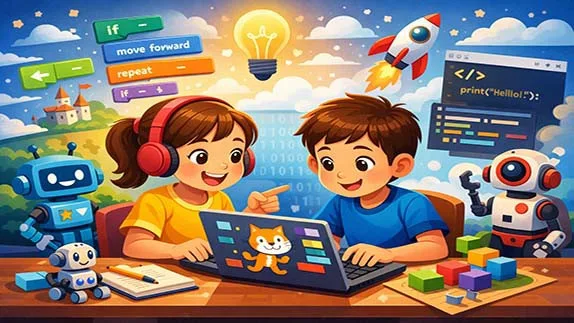
A simple educational guide to programming for kids, covering why coding matters, the right age to start, and effective tools and teaching methods
Programming for Kids: A Simple Guide to Teaching Children How to Code
- 👨🏫 Author: mohammad saleh salmanzadeh
- 🌐 Language: Persian / English
- 📝 Creation Date:
- 📅 Last Updated Date:
- 📂 Category: Game Programming
- 🔗 Sharing:

Programming for Kids: A Simple Guide to Teaching Children How to Code
Programming is no longer just a skill for adults working in technology. Today, learning to code is becoming as important for children as learning math or reading. Programming for kids is not about turning them into professional developers at a young age. It is about helping them think better, solve problems, and understand the digital world they are growing up in.
This article explains what programming for children really means, why it matters, how it should be taught, and what tools and methods work best for beginners.
What Is Programming for Kids?
Programming for kids means teaching children how to give clear instructions to a computer so it can perform tasks. These tasks can be very simple, such as moving a character on a screen, playing a sound, or solving a small puzzle.
Unlike adult programming, children’s coding focuses on:
Visual tools instead of complex text
Logical thinking instead of memorizing syntax
Creativity instead of technical perfection
The goal is understanding, not mastery.
Why Should Children Learn Programming?
Programming Builds Thinking Skills
When children learn programming, they learn how to:
Break big problems into smaller parts
Think step by step
Test ideas and fix mistakes
These skills are useful in school, daily life, and future careers, even outside technology.
Programming Improves Problem-Solving
Coding teaches children that mistakes are normal. If something does not work, they try again. This process builds patience, resilience, and confidence.
Instead of giving up, children learn to ask:
Why did this happen?
What can I change?
What happens if I try another way?
Programming Encourages Creativity
Programming is not only logical; it is also creative. Children can:
Create games
Design stories
Build animations
Make music or art using code
This makes learning enjoyable and meaningful.
At What Age Should Kids Start Coding?
Ages 5–7: Learning Through Play
At this age, children are not ready for written code. They learn best through:
Drag-and-drop blocks
Visual symbols
Games and stories
The focus is on understanding cause and effect, not rules.
Ages 8–11: Building Logical Thinking
Children can now:
Follow simple logic
Understand sequences
Use basic conditions like “if this, then that”
This is the best age to introduce visual programming platforms more seriously.
Ages 12+: Transition to Text-Based Coding
Older children can start learning:
Simple text-based languages
Basic syntax
Real-world programming concepts
However, speed should never be forced. Understanding is more important than progress.
Best Programming Languages for Kids
Visual Programming Languages
Visual programming uses blocks instead of text. This removes fear and confusion.
Scratch
Scratch is one of the most popular platforms for teaching kids to code.
Created by MIT
Uses colorful drag-and-drop blocks
Perfect for games, stories, and animations
Scratch helps children focus on logic instead of typing errors.
Blockly
Blockly is similar to Scratch but often used in educational apps and websites. It helps children understand how blocks translate into real code later.
Beginner Text-Based Languages
Once children are ready, text-based programming can be introduced carefully.
Python
Python is often recommended for beginners because:
The syntax is simple
The code looks close to normal English
It is widely used in real-world applications
Python is a strong choice for teenagers who want to move beyond visual tools.
How to Teach Programming to Children Effectively
Start With Concepts, Not Code
Do not start by teaching commands or rules. Start with ideas like:
Sequences (doing things in order)
Loops (repeating actions)
Conditions (making decisions)
These concepts can be taught without a computer at first.
Use Games and Stories
Children learn best when learning feels like play. Games and storytelling:
Increase motivation
Reduce fear of mistakes
Make abstract ideas concrete
If learning feels like homework, it will fail.
Keep Sessions Short and Fun
Children have limited attention spans. Short, focused sessions work better than long lessons. It is better to code for 20 minutes happily than one hour with frustration.
Let Children Make Mistakes
Mistakes are part of programming. Do not correct everything immediately. Let children explore, fail, and discover solutions themselves.
This builds independence and confidence.
Offline Activities for Teaching Programming to Kids
1. "Commander and Robot" Game (Concept: Instructions & Sequencing)
One person plays the "Commander" and another plays the "Robot". The robot only follows simple, precise commands. The commander must guide the robot toward a goal (like picking up a cup) using commands such as "take one step forward", "turn right", "raise your hand".
Learning Goal:
The child learns that instructions must be precise, step-by-step, and unambiguous. This is the foundation of programming.
2. Making a Sandwich by Following Instructions (Concept: Algorithms & Sequence)
Ask the child to write instructions for making a sandwich: "Place one slice of bread", "Spread butter", "Add cheese", "Place the other slice on top". Then follow the instructions exactly as written (even if they forgot a step like opening the fridge).
Learning Goal:
The child understands that a computer does exactly what you tell it to do, not what you "think" you said. Details matter.
3. "If, Then" Game in Daily Life (Concept: Conditionals)
Throughout the day, ask the child:
If it rains, then what do we do? (Take an umbrella)
If the traffic light is red, then what? (Stop)
If I am hungry, then what? (Eat)
Then ask them to come up with their own examples.
Learning Goal:
The child learns conditional logic (if-then), one of the core concepts of programming.
4. Drawing with Colored Squares (Concept: Loops & Repetition)
Take a grid paper. Ask the child to draw a repeating pattern, for example: "one red square, one blue square, one red square, one blue square". Then ask: "If you repeat this pattern 10 times, what will it look like?"
Learning Goal:
The child understands the concept of repetition (loops). Instead of writing 10 repeated commands, you can write one command with "repeat".
5. Treasure Hunt with a Map (Concept: Debugging & Error Fixing)
Draw a simple map of your home or yard. Write a set of instructions leading to a "treasure" (like a piece of chocolate). But include one mistake (e.g., "turn right" when it should be "turn left"). When the child reaches the wrong spot, ask them to find the mistake and fix the instruction.
Learning Goal:
The child learns that making mistakes is normal, and debugging (finding and fixing errors) is an essential part of programming.
Activities Summary Table
| Activity | Programming Concept | Suggested Time |
|---|---|---|
| Commander and Robot | Instructions & Sequencing | 10-15 min |
| Making a Sandwich | Algorithm & Sequence | 15-20 min |
| If-Then in Daily Life | Conditionals | 5-10 min |
| Grid Drawing with Colors | Loops & Repetition | 10-15 min |
| Treasure Hunt with Map | Debugging | 15-20 min |
The Role of Parents and Teachers
Parents Do Not Need to Be Programmers
Many parents think they cannot help because they do not know coding. This is wrong.
Parents can help by:
Encouraging curiosity
Asking questions
Celebrating effort, not results
Support matters more than knowledge.
Teachers Should Focus on Learning, Not Speed
Every child learns differently. Comparing children or rushing lessons damages confidence. Programming education should be flexible and supportive.
Common Mistakes in Teaching Kids Programming
Forcing Adult-Level Programming Too Early
Teaching complex syntax to young children leads to frustration. Visual tools exist for a reason. Skipping them is a mistake.
Turning Coding Into Pressure
Programming should not feel like an exam. Pressure kills creativity and motivation.
Focusing Only on Screens
Offline activities like puzzles, logic games, and storytelling are also part of learning to code. Programming is about thinking, not screens.
Benefits of Learning Programming at a Young Age
Children who learn programming often develop:
Strong logical thinking
Better focus and patience
Confidence in learning new skills
A healthy attitude toward technology
Even if they never become programmers, these benefits stay with them for life.
Programming and the Future of Education
The world is becoming more digital every day. Children who understand how technology works are not just users; they are creators.
Programming education prepares children for:
Future jobs
Digital literacy
Critical thinking in a technology-driven world
This is not a trend. It is a necessity.
Conclusion: Programming Is a Skill for Life, Not Just a Career
Programming for kids is not about producing young engineers. It is about teaching children how to think, solve problems, and express ideas logically and creatively.
When taught correctly, coding becomes a powerful educational tool that supports learning in all areas of life.
The key is simple:
Start early, but gently
Focus on understanding, not speed
Make learning fun, not stressful
If children enjoy learning to code, the results will follow naturally.
📚 Related content:
- Scratch Programming: A Beginner-Friendly Introduction to Coding
- Programming with Artificial Intelligence: A Beginner’s Guide
- An Introduction to Programming for Beginners
- Learning Game Programming from Scratch: A Beginner-Friendly Guide
- Android Programming for Beginners: A Complete and Simple Guide
- C# Game Programming: A Beginner’s Guide to Building Games with Confidence
Q1: What is coding for kids?
Answer: Coding for kids means teaching them how to give clear and logical instructions to a computer to perform tasks. The focus is on visual tools, logical thinking, and creativity rather than complex text-based code. The main goal is understanding basic concepts and developing problem-solving skills.
Q2: At what age can children start learning programming?
Answer: Children can start as early as 5 to 7 years old with visual tools and educational games. At ages 8 to 11, logical thinking develops further, and they can learn conditionals and loops. From age 12 and above, they can gradually transition to text-based coding with simple languages like Python.
Q3: What is the best programming language for kids?
Answer: For beginners, visual languages like Scratch and Blockly are the best options because they don't require typing code and focus on logic. After gaining mental readiness, Python is a great choice for transitioning to text-based coding due to its simple and readable syntax.
Q4: Do parents need to know programming to teach their kids?
Answer: No, parents don't need programming knowledge. They can play an effective role by encouraging curiosity, asking guiding questions, and praising effort rather than results. Offline activities can also be done without any technical expertise.
Q5: Is coding for kids only about working with computers?
Answer: No, a significant part of teaching coding to kids happens offline through activities like "Commander and Robot," "Making a Sandwich with Instructions," "If-Then" games, "Drawing with Colored Squares," and "Treasure Hunt with a Map." These activities teach foundational concepts like sequencing, loops, conditionals, and debugging in a hands-on way.
Q6: What are the benefits of learning programming at a young age?
Answer: Children who learn programming typically develop stronger logical thinking, become more patient and focused, gain more confidence in learning new skills, and build a healthier relationship with technology. These benefits stay with them throughout their lives, even if they never become professional programmers.
- 🗨️ No comments have been posted for this article yet. Be the first!