
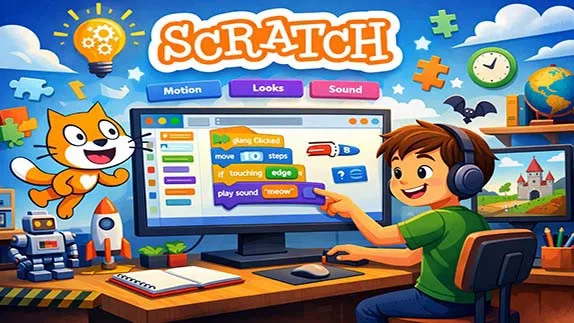
What is Scratch programming and why is it ideal for beginners? Learn Scratch basics step by step with a simple, clear, and beginner-friendly guide
Scratch Programming: A Beginner-Friendly Introduction to Coding
- 👨🏫 Author: mohammad saleh salmanzadeh
- 🌐 Language: Persian / English
- 📝 Creation Date:
- 📅 Last Updated Date:
- 📂 Category: Game Programming
- 🔗 Sharing:

Scratch Programming: A Beginner-Friendly Introduction to Coding
Programming is often seen as complex, intimidating, and only suitable for professionals. Scratch was created to destroy that myth. Scratch is a visual programming language designed to help beginners—especially children and absolute novices—learn the fundamental concepts of coding in a simple and engaging way.
In this article, you will learn what Scratch programming is, how it works, why it is effective for beginners, and how it builds a strong foundation for future programming skills. No technical background is required.
What Is Scratch Programming?
Scratch is a block-based visual programming language developed by the MIT Media Lab. Instead of typing code, users drag and drop colorful blocks to create programs. Each block represents a programming instruction, such as movement, logic, or sound.
Scratch is primarily used for:
Teaching beginners how programming works
Developing logical and computational thinking
Creating simple games, animations, and interactive stories
Scratch is free, browser-based, and also available as a desktop application.
Why Scratch Is Ideal for Beginners
Scratch is not just “easy.” It is intentionally designed to remove the most common barriers beginners face when learning programming.
No Syntax Errors
Traditional programming languages require strict syntax. A missing semicolon can break an entire program. Scratch eliminates this problem completely. Blocks only fit together in valid ways, so syntax errors are impossible.
Visual Learning
Humans understand visuals faster than text. Scratch uses shapes, colors, and motion to represent programming concepts, making learning intuitive and less abstract.
Instant Feedback
When you change something in Scratch, you immediately see the result. This instant feedback loop helps learners understand cause and effect very quickly.
How Scratch Works
Scratch programs are built around three core components:
Sprites
Sprites are the characters or objects in your project. Each sprite can have its own scripts, costumes, and sounds.
Examples of sprites:
A cat (the default Scratch mascot)
A ball in a game
A button in an interactive story
Stage
The stage is where everything happens. It is the background area where sprites move, interact, and perform actions.
Blocks
Blocks are the heart of Scratch programming. They snap together like puzzle pieces and control how sprites behave.
Main Categories of Scratch Blocks
Scratch blocks are organized into categories, each serving a specific purpose.
Motion Blocks
These blocks control movement and position.
Examples:
Move 10 steps
Turn 15 degrees
Go to x: y:
Looks Blocks
Looks blocks change how a sprite appears.
Examples:
Say “Hello” for 2 seconds
Change costume
Change size
Sound Blocks
Sound blocks handle audio.
Examples:
Play sound
Stop all sounds
Change volume
Events Blocks
Events blocks start actions.
Examples:
When green flag clicked
When key pressed
When sprite clicked
Control Blocks
Control blocks manage logic and flow.
Examples:
Repeat
Forever
If / If else
Sensing Blocks
These blocks detect interactions.
Examples:
Touching sprite?
Mouse position
Key pressed?
Operators Blocks
Operators blocks perform calculations and comparisons.
Examples:
Add, subtract, multiply
Greater than / Less than
And / Or
Variables Blocks
Variables store data such as scores or time.
Basic Programming Concepts Learned with Scratch
Scratch teaches real programming concepts without overwhelming beginners.
Sequencing
Programs run step by step. Scratch makes sequencing visible and easy to understand.
Loops
Repeating actions is a fundamental concept in programming. Scratch introduces loops using blocks like “repeat” and “forever.”
Conditionals
Scratch teaches decision-making with “if” and “if else” blocks.
Example:
If the sprite touches the wall, then turn around.
Variables
Variables help store and update information, such as:
Score
Lives
Timer
These are the same concepts used in professional programming languages.
Creating Your First Scratch Project
A beginner Scratch project usually follows these steps:
Step 1: Choose a Sprite
Select a character or object from the Scratch library.
Step 2: Add Movement
Use motion blocks to make the sprite move across the stage.
Step 3: Add Interaction
Use events and sensing blocks so the sprite responds to clicks or key presses.
Step 4: Add Logic
Use control blocks to create rules, loops, or conditions.
Step 5: Test and Improve
Run the project, observe what happens, and make improvements.
This process naturally teaches problem-solving and experimentation.
Example: Moving a Cat with Arrow Keys in Scratch
Project Goal
A simple project where the cat (Scratch's default sprite) moves when you press the arrow keys (up, down, left, right).
Steps to Build
Step 1: Remove Extra Sprites
Keep the default cat sprite and delete any others.
Step 2: Add Event Blocks
From the Events category, drag the when [space] key pressed block to the code area.
In the dropdown menu, change space to up arrow.
Step 3: Add Movement Block
From the Motion category, select the change y by (10) block.
Snap this block under the event block.
Step 4: Repeat for Other Keys
Repeat the same steps for the down arrow key using the value -10.
For the right arrow key, use the change x by (10) block.
For the left arrow key, use the change x by (-10) block.
Step 5: Test the Project
Click the green flag.
Press the arrow keys. The cat should move around the screen.
Final Code (Descriptive)
when [up arrow] key pressed
   change y by (10)
when [down arrow] key pressed
   change y by (-10)
when [right arrow] key pressed
   change x by (10)
when [left arrow] key pressed
   change x by (-10)
Key Concepts Learned
| Concept | Explanation |
|---|---|
| Event | Pressing a key triggers the code to run |
| X coordinate | Horizontal position (left and right) |
| Y coordinate | Vertical position (up and down) |
| Positive and negative values | +10 means move right/up, -10 means move left/down |
Educational Benefits of Scratch
Scratch is not just about coding. It builds essential skills.
Logical Thinking
Learners understand how actions are connected logically.
Creativity
Scratch encourages creativity through storytelling, animation, and game design.
Problem Solving
When something doesn’t work, learners debug by thinking step by step.
Confidence
Because Scratch is forgiving, learners gain confidence instead of frustration.
Scratch for Children vs Adults
Scratch is often associated with children, but this is misleading.
For Children
Builds early computational thinking
Improves focus and creativity
Introduces structured thinking
For Adults
Removes fear of programming
Teaches core concepts without complexity
Acts as a bridge to real coding languages
Many adults use Scratch as a first step before learning Python or JavaScript.
Scratch and Future Programming Languages
Scratch is not an end goal. It is a foundation.
After Scratch, learners transition more easily to:
Python
JavaScript
C++
Java
Why? Because they already understand:
Logic
Variables
Loops
Conditions
Only the syntax changes, not the thinking.
SEO Benefits of Writing About Scratch Programming
From a content perspective, Scratch programming is a strong SEO topic.
High Search Demand
Keywords like:
Scratch programming for beginners
Learn Scratch coding
Scratch programming tutorial
are frequently searched.
Evergreen Content
Scratch basics do not change often, making the content long-lasting.
Educational Authority
Publishing Scratch tutorials builds credibility in education and technology niches.
Common Mistakes Beginners Make in Scratch
Understanding mistakes helps learning faster.
Overcomplicating Projects
Beginners often try to build complex games too early. Simple projects are better.
Ignoring Testing
Not testing step by step leads to confusion. Scratch rewards frequent testing.
Copying Without Understanding
Using shared projects is helpful only if learners understand how they work.
Conclusion
Scratch programming is one of the best ways to start learning coding. It removes fear, eliminates technical barriers, and focuses on understanding how programming logic works. Through visual blocks, instant feedback, and creative freedom, Scratch turns learning into an engaging experience.
Whether you are a child, a student, a teacher, or an adult with no technical background, Scratch provides a powerful introduction to computational thinking. It does not replace traditional programming languages—but it prepares you for them better than jumping in blindly.
If you want to learn programming the right way, Scratch is not a shortcut. It is a solid foundation.
📚 Related content:
- Programming with Artificial Intelligence: A Beginner’s Guide
- An Introduction to Programming for Beginners
- Programming for Kids: A Simple Guide to Teaching Children How to Code
- Learning Game Programming from Scratch: A Beginner-Friendly Guide
- Android Programming for Beginners: A Complete and Simple Guide
- C# Game Programming: A Beginner’s Guide to Building Games with Confidence
Q1: What is Scratch programming?
Answer: Scratch is a visual, block-based programming language developed by the MIT Media Lab. Instead of writing code, you build programs by dragging and snapping together colorful blocks. It is designed to teach programming fundamentals to children, students, and anyone without a technical background.
Q2: Do I need programming experience to learn Scratch?
Answer: No, Scratch is specifically designed for complete beginners. Its visual drag-and-drop interface eliminates the need to write code and avoids syntax errors, allowing you to focus entirely on logic and creativity.
Q3: What is the difference between Scratch and text-based programming languages?
Answer: In Scratch, you connect colorful blocks instead of typing code. This eliminates syntax errors and shifts focus to programming logic. In contrast, text-based languages like Python or C# require exact typing of commands, which can be intimidating for beginners.
Q4: Who is Scratch suitable for?
Answer: Scratch is suitable for children, students, teachers, parents, and even adults with no technical background. It's also great for anyone who wants to learn programming logic in a simple and fun way before moving on to professional languages.
Q5: What can you build with Scratch?
Answer: With Scratch, you can build simple games (like platformers, puzzles, and racing games), interactive animations, digital stories, educational simulations, and artistic or musical projects. These projects help you understand programming concepts hands-on.
Q6: Is learning Scratch useful for entering professional programming?
Answer: Yes, Scratch prepares you for learning professional languages. Concepts like variables, loops, conditionals, events, and functions that you learn in Scratch are exactly the same concepts used in advanced languages like Python, JavaScript, and C#. Scratch is a reliable bridge to the world of real programming.
- 🗨️ No comments have been posted for this article yet. Be the first!