
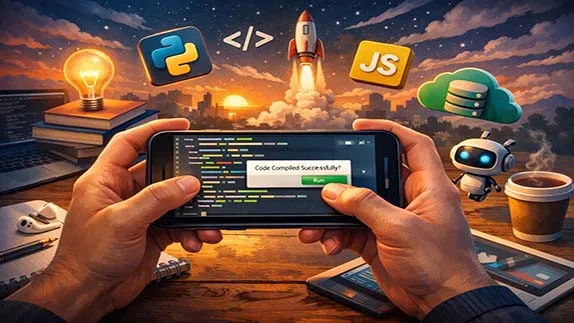
Learn programming with your smartphone. A beginner-friendly guide covering tools, benefits, limitations, and how to start coding without a computer
Programming with a Smartphone: A Beginner’s Guide to Coding on Mobile Devices
- 👨🏫 Author: mohammad saleh salmanzadeh
- 🌐 Language: Persian / English
- 📝 Creation Date:
- 📅 Last Updated Date:
- 📂 Category: Game Programming
- 🔗 Sharing:

Programming with a Smartphone: A Beginner’s Guide to Coding on Mobile Devices
Programming is no longer limited to powerful desktop computers or expensive laptops. Today, with nothing more than a smartphone in your hand, you can start learning how to code, build real projects, and even prepare yourself for a career in software development. This article explains what mobile programming is, how it works, which tools you can use, and whether coding on a phone is truly practical for beginners.
What Does “Programming with a Phone” Mean?
Programming with a phone simply means writing, running, and testing code using a smartphone instead of a computer. This can be done through:
Mobile applications designed for coding
Cloud-based development environments accessed through a browser
Educational platforms that teach programming step by step
You are not turning your phone into a supercomputer. Instead, you are using modern tools that move the heavy work to the cloud while your phone acts as the interface.
Why Learning Programming on a Smartphone Makes Sense
Many beginners delay learning programming because they believe they need expensive equipment or a perfect setup. That belief is wrong.
Accessibility and Convenience
Almost everyone owns a smartphone. This makes programming:
More accessible
Less intimidating
Easier to start immediately
You can practice coding:
On the bus
During breaks
While traveling
Anywhere you have internet access
Lower Barrier for Beginners
For someone with no technical background, a phone can feel less overwhelming than a computer filled with unfamiliar software. Mobile coding apps often:
Focus on one language
Remove unnecessary complexity
Use guided lessons and examples
This is ideal for beginners.
What Can You Actually Learn on a Phone?
Let’s be honest. Programming on a phone has limits. But for learning fundamentals, it is more than enough.
Programming Languages You Can Learn
On a smartphone, you can comfortably learn:
Python – great for beginners and widely used
JavaScript – essential for web development
HTML & CSS – the foundation of websites
Java – commonly used for Android development
C and C++ – basic concepts and syntax
You may not build massive systems, but you can understand logic, syntax, and problem-solving, which is what matters at the start.
Core Concepts You Can Master
Using only your phone, you can learn:
Variables and data types
Conditional statements (if / else)
Loops
Functions
Basic algorithms
Debugging simple errors
These concepts are universal across all programming languages.
Best Tools for Programming on a Smartphone
Choosing the right tools is critical. Bad tools will waste your time. Good tools will make learning smooth.
Coding Apps for Beginners
Some mobile apps are designed specifically for learning programming:
They provide short lessons
They include quizzes and challenges
They explain errors in simple language
These apps are ideal for absolute beginners.
Mobile Code Editors
More advanced users can use code editor apps that allow you to:
Write real code
Run programs
Save files locally
These apps often support multiple programming languages.
Cloud-Based Development Platforms
This is where phones truly shine.
Using cloud IDEs (Integrated Development Environments), you can:
Write code in your phone’s browser
Run programs on remote servers
Access the same project from any device
Your phone becomes a gateway, not a limitation.
Best Mobile Coding Apps
Here are some popular and useful apps for learning and writing code on your phone. These apps are available on both Android and iOS.
۱. SoloLearn
SoloLearn is one of the most popular mobile coding learning platforms. It offers short lessons, interactive exercises, and a large community of learners. It covers many languages including Python, JavaScript, C#, C++, HTML/CSS, and Java.
Features:
- Step-by-step short lessons
- In-app coding
- Challenges and quizzes with others
- Free (premium optional)
۲. Mimo
Mimo is a gamified coding learning app focused on building small, practical projects. It supports popular languages like Python, JavaScript, HTML/CSS, SQL, and Swift.
Features:
- Game-like design
- Hands-on projects
- Certificates
- Personalized learning path
۳. Replit:
Replit is a cloud-based coding environment that works great on mobile browsers. No installation needed. You write code and it runs on powerful servers. Supports over 50 programming languages.
Features:
- No installation required
- Code runs on servers
- Real-time collaboration
- Free with simple sign-up
۴. Programming Hero:
Programming Hero is a creative and fun coding learning app designed for beginners. It teaches programming concepts through storytelling and games. The main focus is on Python.
Features:
- Story and game-based learning
- Build real projects
- Offline mode
- Free
۵. Dcoder:
Dcoder is a professional mobile code editor and compiler that supports over 50 programming languages. Your code runs on remote servers and shows output. Suitable for users with some coding familiarity.
Features:
- Supports 50+ languages
- Syntax highlighting
- Debugging
- Sample projects included
Quick Comparison Table
| App | Best For | Languages | Cost | Internet Required |
|---|---|---|---|---|
| SoloLearn | Step-by-step learning | Python, JS, C#, Java, C++ | Free | Yes |
| Mimo | Gamified learning | Python, JS, HTML/CSS, SQL | Free | Yes |
| Replit | Professional coding | 50+ languages | Free | Yes |
| Programming Hero | Absolute beginners | Python | Free | Works offline |
| Dcoder | Coding & execution | 50+ languages | Free | Yes |
Advantages of Programming with a Phone
Let’s be clear: programming on a phone is not perfect. But it has real advantages.
Portability
Your phone is always with you. This makes learning:
Consistent
Habit-based
Less dependent on motivation
Five minutes of coding daily beats two hours once a month.
Focused Learning
Small screens force simplicity. This helps beginners:
Focus on core ideas
Avoid distractions
Learn step by step
You are less likely to jump ahead before understanding the basics.
Cost Efficiency
No laptop? No problem.
No paid software? Also not a problem.
Many mobile programming tools are:
Free
Freemium
Open source
This removes financial excuses.
Limitations You Must Be Aware Of
Ignoring limitations is foolish. Let’s address them directly.
Screen Size and Typing
Typing long code on a phone:
Is slower
Can be frustrating
Is not ideal for large projects
This is why phones are best for learning, not heavy development.
Performance Constraints
Phones are not designed to:
Compile large projects
Run complex simulations
Handle massive codebases
Advanced work eventually requires a computer.
Multitasking Limitations
Switching between:
Documentation
Code
Debugging tools
Is harder on a small screen.
Is Programming on a Phone Enough to Become a Developer?
Short answer: No.
Honest answer: It’s an excellent start.
The Correct Way to Use Phone Programming
Use your phone to:
Learn fundamentals
Build consistency
Practice logic
Test small ideas
Then, when possible:
Transition to a laptop or desktop
Apply what you already understand
People who fail often skip this foundation. Phone learners don’t.
Who Should Learn Programming on a Phone?
Programming with a smartphone is especially useful for:
Absolute Beginners
If you:
Have zero experience
Feel overwhelmed by computers
Want a gentle introduction
Start with your phone.
Students and Busy Professionals
If you:
Have limited time
Travel often
Want flexible learning
Mobile coding fits your lifestyle.
Self-Learners Testing Their Interest
Not sure if programming is for you?
Your phone lets you test the waters without commitment.
Tips for Learning Programming Effectively on a Phone
Tools alone are not enough. Discipline matters.
Set Small Daily Goals
Instead of “learn programming,” aim for:
One lesson per day
One concept per session
One small exercise
Consistency beats intensity.
Write Code, Don’t Just Read
Watching tutorials feels productive. It is not enough.
You must:
Type code
Make mistakes
Fix errors
That’s how learning happens.
Accept Discomfort
Typing on a phone will feel slow.
Thinking logically will feel hard.
Good. That means your brain is adapting.
Conclusion: Is Programming with a Phone Worth It?
Programming with a smartphone is not a replacement for traditional development environments. But it is a powerful educational tool.
If you are a beginner, your phone is:
Enough to start
Enough to learn fundamentals
Enough to build discipline
Waiting for the perfect setup is just procrastination in disguise.
If you have a phone, you have no excuse.
Start small. Learn daily. Upgrade later.
📚 Related content:
- Programming with Artificial Intelligence: A Beginner’s Guide
- An Introduction to Programming for Beginners
- Programming for Kids: A Simple Guide to Teaching Children How to Code
- Learning Game Programming from Scratch: A Beginner-Friendly Guide
- Android Programming for Beginners: A Complete and Simple Guide
- C# Game Programming: A Beginner’s Guide to Building Games with Confidence
Q1: Can I start programming with just a mobile phone?
Answer: Yes, absolutely. Today, there are many apps and cloud-based environments that allow you to learn programming basics, write code, and even run small projects using only a smartphone. A phone is a great tool for starting your learning journey and building a daily coding habit.
Q2: What are the best programming apps for mobile?
Answer: Some of the best apps include: SoloLearn (step-by-step learning with a large community), Mimo (gamified, project-based learning), Replit (cloud environment with 50+ languages), Programming Hero (story-based learning for absolute beginners), and Dcoder (professional code editor and compiler).
Q3: What programming languages can I learn on a phone?
Answer: You can learn many languages on your phone, including Python, JavaScript, HTML/CSS, Java, C#, C++, and more. Most educational apps support the most popular languages, allowing you to choose based on your goals.
Q4: Can I become a professional programmer using only my phone?
Answer: No, but it's an excellent starting point. For large projects, professional development, and entering the job market, you'll eventually need a laptop or computer. However, your phone helps you learn fundamentals, build a coding habit, and start without excuses.
Q5: What are the limitations of mobile programming?
Answer: The main limitations are: slower and more difficult typing on a small screen, inability to run large projects and complex compilations, and difficulty multitasking with multiple resources. A phone is great for learning and practice, but it's not a replacement for a professional environment.
Q6: Who is mobile programming suitable for?
Answer: This method is excellent for absolute beginners with no experience, busy students and professionals with limited time, and those who are still unsure if programming is right for them. A phone provides a low-risk, accessible, and flexible way to start.
- 🗨️ No comments have been posted for this article yet. Be the first!