
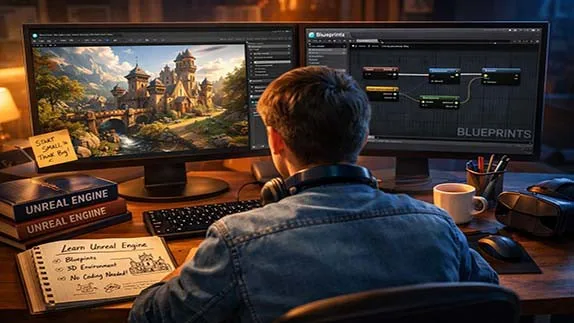
Learn Unreal Engine from scratch with this beginner-friendly guide. Simple, clear Unreal Engine tutorial with no coding or technical background required
Learning Unreal Engine: A Beginner-Friendly Guide to Game Development and Real-Time Creation
- 👨🏫 Author: mohammad saleh salmanzadeh
- 🌐 Language: Persian / English
- 📝 Creation Date:
- 📅 Last Updated Date:
- 📂 Category: Unreal Engine
- 🔗 Sharing:

Learning Unreal Engine: A Beginner-Friendly Guide to Game Development and Real-Time Creation
Unreal Engine is one of the most powerful real-time creation tools in the world today. It is used not only for making video games, but also for films, animations, architectural visualization, virtual reality (VR), and even simulations for education and industry.
The good news is this: you do not need a technical background to start learning Unreal Engine.
This article is written as a practical guide for absolute beginners. We will walk step by step through what Unreal Engine is, why it is worth learning, how it works, and how you can begin your learning journey with confidence.
What Is Unreal Engine?
Unreal Engine is a game engine developed by Epic Games. A game engine is a software framework that allows developers and creators to build interactive 3D and 2D experiences without creating everything from scratch.
With Unreal Engine, you can:
Create video games
Build 3D environments
Design interactive experiences
Make animations and cinematic scenes
Develop VR and AR projects
Unreal Engine handles complex tasks such as graphics rendering, physics, lighting, and sound, so you can focus on creativity rather than low-level programming.
Why Learn Unreal Engine?
Free and Industry-Grade
Unreal Engine is free to download and use. You only pay royalties if you publish a commercial product that earns significant revenue. This makes it accessible for students, hobbyists, and independent creators.
Used by Professionals
Unreal Engine is used by:
Game studios (AAA and indie)
Film and TV productions
Architects and designers
Automotive and simulation industries
Learning Unreal Engine gives you real-world, job-relevant skills.
Visual Learning with Minimal Coding
One of the biggest advantages of Unreal Engine is Blueprints, a visual scripting system. You can create logic by connecting nodes instead of writing code, which is perfect for beginners.
Understanding the Unreal Engine Interface
When you open Unreal Engine for the first time, the interface may look intimidating. Do not worry. Let’s break it down.
The Main Viewport
The Viewport is where you see and interact with your 3D world. You can move the camera, place objects, and preview your scene in real time.
The Content Drawer
This is where all your assets live:
3D models
Materials
Textures
Sounds
Blueprints
Think of it as your project’s library.
The World Outliner
The World Outliner shows all objects currently in your scene. You can select, organize, and manage them easily.
The Details Panel
When you click on any object, the Details Panel shows its properties, such as position, scale, color, and behavior.
Key Concepts You Must Learn First
Before creating full projects, it’s important to understand some core concepts.
Actors and Components
Actors are objects placed in the world (characters, lights, cameras).
Components are parts that make up an actor (mesh, collision, movement).
Everything in Unreal Engine is built using this system.
Levels
A Level is essentially a scene or map. A game can have multiple levels, such as menus, stages, or environments.
Materials and Lighting
Materials define how objects look (color, texture, reflections).
Lighting is critical in Unreal Engine because it greatly affects realism and mood.
Introduction to Blueprints (No Coding Required)
What Are Blueprints?
Blueprints are Unreal Engine’s visual scripting system. Instead of writing code, you connect blocks (nodes) that represent actions and logic.
For example, you can:
Make a door open when a player approaches
Trigger sound effects
Control character movement
Create game rules
Why Blueprints Are Perfect for Beginners
No programming knowledge required
Visual and intuitive
Easy to debug and understand
Used by professionals, not just beginners
Learning Blueprints first is the smartest way to start.
Creating Your First Simple Project
Step 1: Install Unreal Engine
Download Unreal Engine from the Epic Games Launcher. Choose the latest stable version.
Step 2: Create a New Project
Select:
Games (or Film/Architecture if preferred)
Blueprint
Desktop/Console
Starter Content (recommended)
Step 3: Explore and Experiment
Move objects, change lighting, and play the level. Do not try to “master” anything yet. Exploration is learning.
Learning Path for Beginners
Phase 1: Fundamentals
Focus on:
Navigating the interface
Understanding actors and components
Basic lighting and materials
Simple Blueprint logic
Phase 2: Interaction and Gameplay
Learn how to:
Control a character
Detect collisions
Create simple mechanics (jumping, collecting items)
Phase 3: Polish and Optimization
At this stage, you improve:
Visual quality
Performance
User experience
Common Beginner Mistakes (And How to Avoid Them)
Trying to Learn Everything at Once
Unreal Engine is huge. Trying to master everything immediately leads to frustration. Focus on small wins.
Ignoring Basics
Many beginners rush into advanced tutorials without understanding fundamentals. This creates confusion later.
Comparing Yourself to Professionals
Professionals have years of experience. Your progress is normal. Consistency matters more than speed.
Best Resources to Learn Unreal Engine
Official Unreal Engine Documentation
Epic Games provides free, high-quality learning resources designed for beginners.
Unreal Engine Learning Portal
Includes step-by-step courses, projects, and explanations.
YouTube Tutorials
There are thousands of beginner-friendly tutorials. Choose creators who explain concepts clearly, not just actions.
Career Opportunities with Unreal Engine
Learning Unreal Engine can lead to careers such as:
Game Designer
Level Designer
Technical Artist
Virtual Production Artist
Simulation Developer
Architectural Visualizer
Even if you don’t pursue a career, Unreal Engine is a powerful tool for creative expression.
Is Unreal Engine Hard to Learn?
Unreal Engine is not easy, but it is learnable. The difficulty comes from its power, not complexity. With the right learning path and patience, beginners can achieve impressive results.
You do not need:
Advanced math
Programming background
Expensive hardware (to start)
You only need:
Curiosity
Consistent practice
Willingness to experiment
Conclusion: Start Small, Think Big
Unreal Engine is a gateway to creating interactive worlds. Whether your goal is to make games, animations, or real-time experiences, Unreal Engine gives you professional tools for free.
As a beginner, your focus should not be perfection. It should be progress.
Learn the basics. Build small projects. Make mistakes. Improve step by step.
If you stay consistent, Unreal Engine will reward you with skills that are valuable, creative, and future-proof.
Want to learn 3ds Max the right way and step confidently into professional 3D modeling? The Basic Training of 3ds Max 2026 course gives beginners a complete, hands-on path to start creating today.
📚 Related content:
- The Best Game Engine for Beginners: A Complete Guide
- Game Engines Explained: A Beginner’s Guide to How Games Are Made
- The Complete Learning Path to Becoming a Game Developer (From Zero to Real Skills)
Question 1:
What is Unreal Engine?
Answer:
Unreal Engine is a powerful game engine developed by Epic Games. It is used for creating 2D and 3D games, virtual reality experiences, architectural visualizations, animations, and real-time interactive content.
Question 2:
Is Unreal Engine suitable for beginners?
Answer:
Yes. Although Unreal Engine provides professional-level features, beginners can start learning with Blueprint visual scripting without writing code. Learning the interface, basic concepts, and small projects step by step makes Unreal Engine accessible for new users.
Question 3:
Do I need programming skills to learn Unreal Engine?
Answer:
No. Unreal Engine includes Blueprint, a visual scripting system that allows users to create game logic without traditional coding. However, learning programming concepts and C++ can provide more control for advanced projects.
Question 4:
What is Unreal Engine used for?
Answer:
Unreal Engine is used for video game development, filmmaking, animation, virtual production, architecture visualization, virtual reality, and industrial simulations. It is widely used for professional real-time 3D projects.
Question 5:
How should beginners start learning Unreal Engine?
Answer:
Beginners should start by learning the Unreal Engine interface, understanding Actors and Components, creating simple scenes, practicing Blueprint, and gradually building small projects. Hands-on practice is the most effective way to improve.
- 🗨️ No comments have been posted for this article yet. Be the first!