
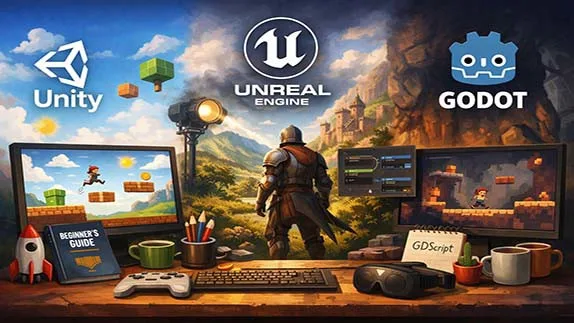
Learn which game engine is best for beginners. A simple comparison of Unity, Unreal, and Godot to help you start game development
The Best Game Engine for Beginners: A Complete Guide
- 👨🏫 Author: mohammad saleh salmanzadeh
- 🌐 Language: Persian / English
- 📝 Creation Date:
- 📅 Last Updated Date:
- 📂 Category: Game Engines
- 🔗 Sharing:

The Best Game Engine for Beginners: A Complete Guide
Choosing the best game engine is one of the first and most confusing decisions for anyone who wants to make games. Beginners often search for a “perfect” engine, but the truth is simple: there is no single best game engine for everyone. The best engine depends on your goals, skills, and the type of game you want to build.
This article explains game engines in plain English. You do not need any technical background. By the end, you will clearly understand what a game engine is, which engines are most popular, and which one is best for you.
What Is a Game Engine?
A game engine is software that helps you create video games without building everything from scratch.
Instead of writing thousands of lines of code to handle graphics, sound, physics, and input, a game engine already provides these systems. You focus on designing the game, not reinventing technology.
What Does a Game Engine Do?
Most modern game engines handle:
Graphics and rendering (2D and 3D visuals)
Physics (movement, collisions, gravity)
Sound and music
Input (keyboard, mouse, controller, touch)
Animation
Game logic and scripting
Exporting the game to different platforms
Without a game engine, making a game would be slow, expensive, and extremely technical.
Why Choosing the Right Game Engine Matters
Picking the wrong engine can waste months of time. Beginners often choose engines that are too complex, then quit when they feel overwhelmed.
The best game engine for beginners should be:
Easy to learn
Well-documented
Supported by a large community
Capable of making real, finished games
Now let’s look at the most popular game engines and compare them honestly.
Unity: The Most Beginner-Friendly All-Rounder
What Is Unity?
Unity is one of the most widely used game engines in the world. It supports both 2D and 3D games and is popular among indie developers, students, and even large studios.
Why Unity Is Good for Beginners
Unity is often considered the best starting point because:
Simple interface
Massive number of tutorials
Large community support
Works for mobile, PC, console, and VR
Uses C#, a relatively beginner-friendly language
You can make a basic game in Unity within days, not months.
Unity’s Weak Points
Recent pricing changes caused controversy
Performance optimization can be tricky
Large projects can become complex
Despite its flaws, Unity remains one of the best engines for beginners who want flexibility.
Unreal Engine: Powerful but Heavy
What Is Unreal Engine?
Unreal Engine, developed by Epic Games, is famous for its high-end graphics and realistic visuals. Many AAA games are made with Unreal.
Unreal’s Visual Scripting: Blueprints
One beginner-friendly feature is Blueprints, a visual scripting system. You can create game logic by connecting nodes instead of writing code.
This helps beginners understand game logic visually.
Why Unreal Is Harder for Beginners
Very large and complex interface
Requires a powerful computer
Steeper learning curve
Best suited for 3D games only
Unreal is excellent, but not ideal as a first engine unless your goal is realistic 3D games.
Godot: Lightweight, Free, and Open Source
What Is Godot?
Godot is a free and open-source game engine that has gained popularity in recent years. It supports both 2D and 3D games and is very lightweight.
Why Beginners Like Godot
Completely free, no hidden fees
Simple interface
Fast installation
Excellent for 2D games
GDScript is easy to learn
Godot feels less intimidating than Unity or Unreal.
Godot’s Limitations
Smaller community than Unity
Fewer tutorials
3D performance is improving but still behind Unreal
Godot is a strong choice for beginners who want simplicity and control.
GameMaker: Perfect for 2D Beginners
What Is GameMaker?
GameMaker is a game engine designed mainly for 2D games. Many successful indie games started with it.
Why GameMaker Is Beginner-Friendly
Very easy to use
Drag-and-drop system
Minimal coding required
Fast results for simple games
If you want to make platformers or arcade-style games, GameMaker is excellent.
Downsides of GameMaker
Limited for 3D games
Paid licenses for exporting
Less flexible than Unity or Godot
GameMaker is best for pure beginners focused on 2D games.
Which Game Engine Is the Best Overall?
There is no universal winner. Here is the honest breakdown:
Best Game Engine for Absolute Beginners
Unity or Godot
Best for 2D Games
Godot or GameMaker
Best for High-End 3D Games
Unreal Engine
Best Free and Open Source Option
Godot
Best for Mobile Games
Unity
If you are stuck choosing, start with Unity or Godot. Both are proven, beginner-friendly, and capable of real-world projects.
Common Beginner Mistakes When Choosing a Game Engine
Chasing Graphics Instead of Skills
Many beginners choose Unreal because it looks impressive. Then they quit. Skill matters more than visuals.
Switching Engines Too Often
Learning one engine deeply is better than trying five engines shallowly.
Waiting for the “Perfect” Engine
It does not exist. Start building now.
How to Decide in 10 Minutes
Ask yourself:
Do I want 2D or 3D?
Do I want free and open source?
Do I want mobile games?
Do I prefer simple tools or powerful ones?
Your answers will point clearly to the right engine.
Conclusion
The best game engine is not the most powerful one. It is the one you can actually learn and use.
For most beginners:
Unity offers balance and opportunity
Godot offers simplicity and freedom
Unreal offers power at the cost of complexity
Stop overthinking. Pick one engine. Build something small. Finish it. That is how real game developers are made.
Want to learn how a real indie game is built with engines like Unity? The “Complete Indie Game Development Process” course gives you a practical, step-by-step experience to jump into game development — start today
📚 Related content:
- Game Engines Explained: A Beginner’s Guide to How Games Are Made
- Unity Training: A Complete Beginner’s Guide to Game Development
- Learning GameMaker: A Beginner-Friendly Guide to Game Development
Question 1: What is the best game engine for beginners?
Answer:
The best game engine for beginners depends on their goals and the type of games they want to create. Unity and Godot are among the most popular choices for beginners. Unity is suitable for learning game development, creating 2D and 3D games, and building professional skills, while Godot is a great option because of its simplicity, free license, and open-source nature.
Question 2: Do I need programming skills to use a game engine?
Answer:
No. Many game engines provide beginner-friendly tools that allow users to start without advanced programming knowledge. For example, Unreal Engine offers Blueprints visual scripting, and Godot provides simple scripting tools. However, learning programming basics will help you create more advanced games.
Question 3: Is Unity better than Unreal Engine for beginners?
Answer:
Unity is usually a better starting point for beginners because it has a simple workflow, a large learning community, and supports many platforms. Unreal Engine offers powerful graphics and professional features but has a steeper learning curve, especially for complete beginners.
Question 4: Is Godot a good game engine for beginners?
Answer:
Yes. Godot is a free and open-source game engine with a simple interface and beginner-friendly workflow. It is especially suitable for learning game development fundamentals and creating 2D games.
Question 5: Which game engine should I choose for my first game?
Answer:
For your first game, Unity or Godot are both excellent choices. Instead of switching between multiple engines, choose one engine and focus on building small projects to develop your skills and confidence.
- 🗨️ No comments have been posted for this article yet. Be the first!