
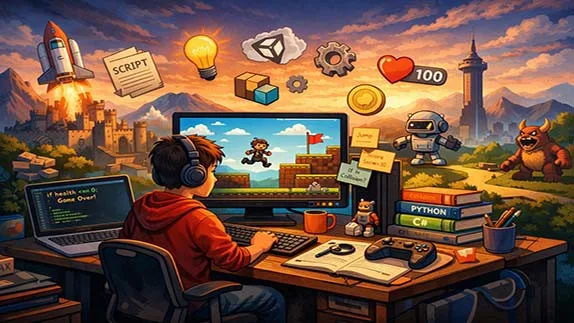
A beginner-friendly guide to learning game programming from scratch, covering basic concepts, tools, and a clear step-by-step learning path with no prior experience required
Learning Game Programming from Scratch: A Beginner-Friendly Guide
- 👨🏫 Author: mohammad saleh salmanzadeh
- 🌐 Language: Persian / English
- 📝 Creation Date:
- 📅 Last Updated Date:
- 📂 Category: Game Programming
- 🔗 Sharing:

Learning Game Programming from Scratch: A Beginner-Friendly Guide
Introduction
Game programming is one of the most exciting ways to learn how to code. Games are interactive, visual, and fun, which makes the learning process more engaging than writing simple text-based programs. Many beginners feel intimidated by programming, especially when they hear terms like “engines,” “algorithms,” or “graphics rendering.” The truth is simple: you do not need a technical background to start learning game programming.
This article is written for complete beginners. We will explain what game programming is, what skills you need, which tools are best for beginners, and how you can learn step by step without getting overwhelmed. By the end, you will have a clear roadmap to start your journey into game development with confidence.
What Is Game Programming?
Game programming is the process of writing code that controls how a game works. This includes:
How characters move
How players interact with the game world
How scores are calculated
How enemies behave
How the game starts, pauses, and ends
A game programmer focuses on logic and behavior, not just visuals. While graphics and art are important, programming is what makes a game playable.
Game Programming vs Game Development
These two terms are often confused.
Game programming: Writing code (rules, mechanics, systems)
Game development: The full process (programming, art, sound, design, testing)
As a beginner, it is perfectly fine to start with programming only and use ready-made art and sounds.
Why Learn Programming Through Games?
Learning programming through game development has several advantages:
Motivation and Engagement
Games give immediate feedback. When your code works, you see it on the screen. When it breaks, the game behaves strangely. This makes learning more memorable and motivating.
Practical Learning
Instead of abstract examples, you solve real problems:
How do I make a character jump?
How do I detect collisions?
How do I create levels?
These problems naturally teach core programming concepts.
Transferable Skills
The skills you learn in game programming—such as logic, problem-solving, and debugging—are useful in web development, mobile apps, and software engineering.
Basic Concepts You Need to Understand
You do not need to master everything at once, but these core ideas appear in almost every game.
Variables and Data
Variables store information such as:
Player score
Health points
Position on the screen
Conditions (If Statements)
Conditions allow the game to make decisions.
Examples:
If health is zero → game over
If player touches enemy → lose life
Loops
Loops repeat actions, such as:
Updating the game every frame
Moving enemies continuously
Functions
Functions are reusable blocks of code. For example:
Jump()
Shoot()
ResetGame()
Short Game Coding Examples:
Example 1: Character Movement in Pygame (Python)
# Moving a simple square on screen with left/right keys
x = 100  # starting position
if left_key_pressed:
   x = x - 5  # move left
if right_key_pressed:
   x = x + 5  # move right
Example 2: Collision Detection in Unity (C#)
// When the player hits a coin
void OnTriggerEnter(Collider other)
{
   if (other.tag == "Coin")
   {
       score = score + 1;
       Destroy(other.gameObject);  // coin disappears
   }
}
Example 3: Enemy Fall in Godot (GDScript)
# Downward movement for an enemy
func _process(delta):
   position.y = position.y + speed * delta

   if position.y > screen_height:
       queue_free()  # enemy left the screen, remove it
Choosing the Right Programming Language
As a beginner, your goal is clarity, not complexity.
Popular Beginner-Friendly Options
C# (with Unity)
Very popular in game development
Used in professional projects
Slightly harder, but powerful
Python
Easy to read and understand
Great for simple 2D games
Excellent for learning fundamentals
JavaScript
Runs in browsers
Great for simple web-based games
No installation needed
Recommendation:
If your goal is fast learning and simplicity, start with Python or JavaScript. If you want to aim for professional game development later, C# with Unity is a strong choice.
Game Engines: What They Are and Why They Matter
A game engine is software that helps you build games faster.
What Does a Game Engine Do?
Handles graphics and animation
Manages physics and collisions
Controls input (keyboard, mouse, controller)
Organizes game objects
Without an engine, you would need to build everything from scratch.
Beginner-Friendly Game Engines
Unity
Massive learning community
Free for beginners
Uses C#
Excellent documentation
Godot
Lightweight and open-source
Beginner-friendly language (GDScript)
Great for 2D games
Pygame
Python-based
Simple and educational
Perfect for understanding fundamentals
A Step-by-Step Learning Path
Step 1: Learn Basic Programming Logic
Before making full games:
Learn variables, conditions, loops, and functions
Practice with small exercises
Focus on understanding, not speed
Step 2: Make Very Small Games
Start simple:
Guess the number
Text-based adventure
Pong or Snake
Small projects build confidence.
Step 3: Learn One Engine Well
Do not jump between engines.
Pick one
Learn its basics
Follow beginner tutorials
Depth is more important than variety.
Step 4: Build and Break Things
Expect errors. Bugs are normal.
Debug slowly
Read error messages
Search solutions
Every bug is a lesson.
Common Mistakes Beginners Make
Trying to Build a Big Game Too Soon
If your first project is an open-world RPG, you will quit. Start small.
Watching Tutorials Without Practicing
Watching is not learning. Typing, breaking, and fixing code is learning.
Comparing Yourself to Professionals
Experienced developers have years of practice. You only see their results, not their struggles.
How Long Does It Take to Learn Game Programming?
There is no exact timeline, but realistic expectations help:
1–2 months: Understand basics and build simple games
3–6 months: Comfortable with one engine and language
1 year: Able to build complete small games independently
Consistency matters more than talent.
Learning Resources for Beginners
Online Courses
Beginner-focused platforms
Structured lessons
Clear progression
Documentation
Official engine documentation
Often better than random tutorials
Communities
Forums
Discord servers
Game jams for beginners
Learning alone is harder. Communities accelerate progress.
Conclusion
Game programming is not reserved for geniuses or computer science graduates. It is a skill that anyone can learn with patience, practice, and the right approach. By starting small, choosing beginner-friendly tools, and focusing on understanding rather than perfection, you can turn curiosity into real skills.
Games make learning programming enjoyable, visual, and meaningful. If you stay consistent and accept mistakes as part of the process, game programming can become not just a learning path—but a creative outlet and even a career.
The most important step is the first one: start simple, and start today.
📚 Related content:
- C# Game Programming: A Beginner’s Guide to Building Games with Confidence
- Scratch Programming: A Beginner-Friendly Introduction to Coding
1. What is game programming?
Game programming is the process of writing code that controls the logic, behavior, interactions, and mechanics of a video game. It determines how characters move, enemies react, scores are calculated, and gameplay works.
2. Do I need programming experience to learn game programming?
No. Beginners can start learning game programming without any prior coding experience. Learning the basics step by step is enough to get started.
3. Which programming language is best for beginner game developers?
C# with Unity is one of the best choices for professional game development. Python and JavaScript are also excellent options for learning programming fundamentals.
4. Which game engine is best for beginners?
Unity, Godot, and Pygame are among the most beginner-friendly game development tools. The right choice depends on your goals, preferred programming language, and the type of games you want to create.
5. How long does it take to learn game programming?
With consistent practice, most beginners can understand the fundamentals and build simple games within one to two months. Becoming proficient depends on regular practice and completing real projects.
- 🗨️ No comments have been posted for this article yet. Be the first!