
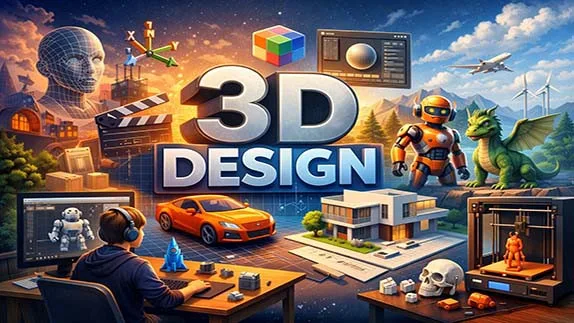
A beginner-friendly guide to 3D design covering basic concepts, modeling steps, popular software, and real-world applications in simple language
A Beginner’s Guide to 3D Design: From Basics to Practical Applications
- 👨🏫 Author: mohammad saleh salmanzadeh
- 🌐 Language: Persian / English
- 📝 Creation Date:
- 📅 Last Updated Date:
- 📂 Category: Game Content Creation
- 🔗 Sharing:

A Beginner’s Guide to 3D Design: From Basics to Practical Applications
3D design is everywhere around us—even if we don’t notice it. From animated movies and video games to product design, architecture, and medical simulations, three-dimensional (3D) design plays a major role in the modern digital world.
This article is written for complete beginners. You do not need any technical or artistic background. Step by step, you will learn what 3D design is, how it works, what tools are used, and where it is applied in real life.
What Is 3D Design?
3D design is the process of creating objects that have three dimensions:
Width
Height
Depth
Unlike 2D images (such as drawings or photos), 3D objects can be viewed from different angles. They exist in a virtual space that imitates the real world.
In simple terms:
3D design is about creating digital objects that look and behave like real objects.
These objects are created using special software and can be:
Rendered as images or videos
Animated
Used in games or virtual reality
3D printed into physical objects
Understanding the Core Concepts of 3D Design
Before using any software, it is important to understand the basic ideas behind 3D design.
What Is a 3D Model?
A 3D model is a digital representation of an object. It can be something simple like a cube or something complex like a human character.
Every 3D model is made of:
Vertices (points)
Edges (lines connecting points)
Faces (flat surfaces)
Together, these form a structure called a mesh.
What Is a 3D Space?
3D design works inside a virtual coordinate system:
X-axis (left and right)
Y-axis (up and down)
Z-axis (forward and backward)
This system allows designers to position and move objects accurately in space.
Main Stages of the 3D Design Process
3D design is not one single action. It follows a clear workflow.
1. Modeling
Modeling is the foundation of 3D design.
At this stage, you create the shape of the object.
Common modeling techniques include:
Box modeling (starting with simple shapes)
Sculpting (shaping like digital clay)
For beginners, box modeling is usually easier to learn.
2. Texturing and Materials
After creating the shape, the object needs color and surface details.
Texturing involves:
Adding colors
Applying images (like wood, metal, skin)
Defining surface properties such as roughness or shine
Without textures, a 3D model looks gray and lifeless.
3. Lighting
Lighting determines how light interacts with objects.
Good lighting:
Makes objects look realistic
Shows depth and form
Creates mood and atmosphere
Even a simple model can look professional with proper lighting.
4. Rendering
Rendering is the process of turning a 3D scene into a final image or animation.
This step calculates:
Light
Shadows
Reflections
Materials
Rendering can take seconds or hours, depending on complexity.
Popular 3D Design Software for Beginners
There are many tools available, but beginners should focus on accessible and well-supported software.
3ds Max
One of the most powerful professional 3D design software, widely used in architecture, industrial design, and game development. If you are looking for in-depth learning and entering the job market, 3ds Max is an excellent choice.
Blender
Blender is one of the most popular 3D design tools.
Key advantages:
Free and open-source
Powerful and professional
Large learning community
Blender is widely used for modeling, animation, and rendering.
Tinkercad
Tinkercad is a browser-based tool ideal for absolute beginners.
It is:
Very simple
Drag-and-drop based
Commonly used for 3D printing
SketchUp
SketchUp is popular in architecture and interior design.
It focuses on:
Fast modeling
Clean shapes
Easy learning curve
Applications of 3D Design in the Real World
3D design is not just for artists or gamers. It is used in many industries.
3D Design in Entertainment
Movies, animations, and video games rely heavily on 3D design.
Examples include:
Animated characters
Visual effects
Game environments
Almost every modern movie uses some form of 3D graphics.
3D Design in Architecture and Engineering
Architects use 3D models to:
Visualize buildings
Test structures
Present designs to clients
This helps reduce mistakes before construction begins.
3D Design in Product Design
Before manufacturing, products are designed in 3D.
This allows designers to:
Test shapes
Improve ergonomics
Save time and cost
Many everyday objects start as 3D models.
3D Printing
3D design is essential for 3D printing.
Designers create digital models that can be printed into real objects such as:
Tools
Medical devices
Custom parts
Skills Needed to Learn 3D Design
You do not need to be a genius or an artist to start.
However, some skills help a lot.
Basic Computer Skills
You should be comfortable with:
Using a mouse and keyboard
Installing software
Managing files
Spatial Thinking
3D design improves your ability to think in space:
Understanding depth
Rotating objects mentally
Visualizing forms
This skill develops naturally with practice.
Patience and Practice
3D design has a learning curve.
Progress comes from:
Regular practice
Making mistakes
Improving step by step
There is no shortcut.
Common Mistakes Beginners Make in 3D Design
Understanding common mistakes can save time and frustration.
Trying to Learn Everything at Once
3D software is powerful but complex.
Focus on:
Basic modeling
Simple projects
One tool at a time
Ignoring Fundamentals
Skipping basics leads to weak results.
Always learn:
Clean topology
Proper scale
Simple lighting
Comparing Yourself to Professionals
Professional 3D artists have years of experience.
Comparison:
Kills motivation
Slows learning
Focus only on progress.
How to Start Learning 3D Design Step by Step
Here is a simple beginner roadmap.
Choose one software (Blender is recommended)
Learn basic navigation and tools
Create simple objects (cups, tables, boxes)
Practice texturing and lighting
Render your work
Improve through small projects
Consistency matters more than talent.
The Future of 3D Design
3D design is growing rapidly.
It is closely connected to:
Virtual reality (VR)
Augmented reality (AR)
Metaverse technologies
Artificial intelligence
Learning 3D design today opens doors to future careers.
Conclusion
3D design is no longer a niche skill. It is a powerful tool used across industries—from entertainment and architecture to product design and technology.
For beginners, the key is simplicity:
Start small
Learn the basics
Practice regularly
You do not need expensive tools or artistic talent. With patience and consistent effort, anyone can learn 3D design and turn ideas into digital reality.
The only real mistake is not starting.
Want to learn 3D design step by step with a hands-on approach? Check out the Basic Training of 3ds Max 2026 course and start designing today.
Question 1
What is 3D design?
Answer:
3D design is the process of creating digital objects with width, height, and depth. These models are widely used in game development, animation, architecture, product design, virtual reality, and many other industries.
Question 2
Which software is best for learning 3D design?
Answer:
Blender is one of the best choices for beginners because it is free, powerful, and supported by a large learning community. 3ds Max is another industry-standard application widely used for professional 3D modeling and game asset creation.
Question 3
Do I need drawing skills to learn 3D design?
Answer:
No. While artistic experience can be helpful, beginners can successfully learn 3D design by understanding modeling, materials, lighting, and rendering through regular practice.
Question 4
What are the main stages of the 3D design process?
Answer:
The typical workflow includes 3D modeling, applying materials and textures, lighting the scene, and rendering the final image or animation. Each stage contributes to creating realistic and high-quality results.
Question 5
Where is 3D design used?
Answer:
3D design is used in game development, animation, architecture, industrial design, 3D printing, virtual reality (VR), augmented reality (AR), engineering, and many other creative and technical fields.
- 🗨️ No comments have been posted for this article yet. Be the first!