
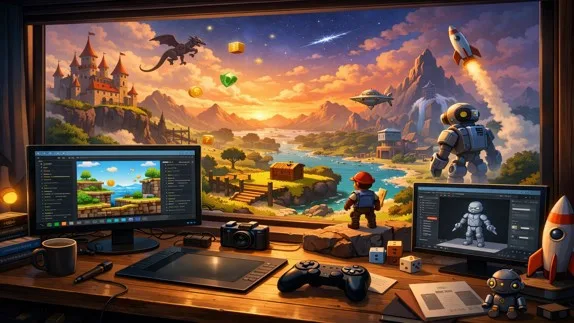
Learn GameMaker from scratch with this beginner-friendly guide. Build 2D games easily without prior programming knowledge
Learning GameMaker: A Beginner-Friendly Guide to Game Development
- 👨🏫 Author: mohammad saleh salmanzadeh
- 🌐 Language: Persian / English
- 📝 Creation Date:
- 📅 Last Updated Date:
- 📂 Category: Game Engines
- 🔗 Sharing:

Learning GameMaker: A Beginner-Friendly Guide to Game Development
Game development may sound complex, but with the right tools, anyone can start building games—even without programming experience. One of the most popular tools for beginners is GameMaker. This article is a complete, easy-to-understand guide to learning GameMaker, explaining what it is, why it is useful, and how beginners can start using it effectively.
Whether you want to create games as a hobby, for education, or as a first step toward a career in game development, GameMaker is an excellent place to start.
What Is GameMaker?
GameMaker is a game development engine designed to make creating 2D games simple and accessible. It is widely used by beginners, students, teachers, and indie developers.
Unlike many game engines that require strong programming skills from day one, GameMaker allows users to create games visually and gradually learn coding if they want to.
A Brief History of GameMaker
GameMaker was first released in 1999 and has evolved significantly over time. Today, GameMaker Studio is a professional-level tool capable of exporting games to multiple platforms, including:
Windows
macOS
Linux
Android
iOS
Web (HTML5)
Many successful indie games started with GameMaker, which shows that it is not just a “toy” engine, but a serious development tool.
Why Learn GameMaker?
Ideal for Beginners
GameMaker is beginner-friendly by design. You do not need to understand complex programming concepts to start making games. This lowers the learning barrier and keeps beginners motivated.
Visual and Code-Based Options
GameMaker offers two main ways to create game logic:
Drag and Drop (DnD): A visual system where you connect actions without writing code.
GameMaker Language (GML): A simple scripting language for more control and flexibility.
Beginners can start with Drag and Drop and move to coding later when they feel ready.
Fast Results
One of the biggest advantages of GameMaker is how quickly you can see results. Creating a playable game prototype can take hours instead of weeks, which is extremely encouraging for new learners.
What Can You Create with GameMaker?
GameMaker is mainly focused on 2D games, including:
Platformer games
Top-down action games
Puzzle games
Arcade-style games
RPG-style projects
If your goal is to learn core game development concepts—such as movement, collisions, scoring systems, and user interaction—GameMaker is more than sufficient.
Core Concepts You Need to Understand
Before diving into GameMaker, it helps to understand a few basic concepts. These are explained visually inside the engine, so no prior knowledge is required.
Sprites
Sprites are images used for characters, objects, and backgrounds. A sprite can be a single image or an animation made of multiple frames.
Objects
Objects are the “brains” of your game. They control behavior. For example, a player object might move, jump, and collide with enemies.
Rooms
Rooms are levels or scenes. They define where gameplay happens and what objects appear on the screen.
Events
Events define when something happens, such as:
When the game starts
When a key is pressed
When two objects collide
Understanding events is key to understanding how games work.
Learning GameMaker Step by Step
Step 1: Install GameMaker
Start by downloading GameMaker from the official website. There is a free version that allows you to learn and create games without publishing them.
Step 2: Explore the Interface
At first, the interface may look overwhelming, but focus on these main areas:
Asset Browser
Workspace
Object Editor
Room Editor
Spend time clicking around and experimenting. Learning by exploration is encouraged.
Step 3: Create Your First Game
A common beginner project is a simple platformer or top-down movement game. This teaches you:
Player movement
Collision detection
Basic game rules
GameMaker includes built-in tutorials that guide you step by step.
Drag and Drop vs Coding (GML)
Drag and Drop (DnD)
Drag and Drop allows you to create logic by choosing actions and placing them into events. It is perfect for absolute beginners.
Advantages:
No coding required
Visual and intuitive
Fast to learn
Limitations:
Less flexible for complex systems
Can become messy in large projects
GameMaker Language (GML)
GML is a scripting language designed specifically for GameMaker. It is simpler than many other programming languages.
Advantages:
More control
Cleaner logic for large projects
Transferable programming concepts
Many learners start with DnD and slowly transition to GML.
Teaching GameMaker: Best Practices for Beginners
As an instructor, the most important goal is to keep students engaged and confident.
Start with Small Projects
Avoid large or ambitious ideas early on. Small games teach core skills without frustration.
Focus on Concepts, Not Perfection
Students should understand why something works, not just how to click buttons.
Encourage Experimentation
Mistakes are part of learning. GameMaker is forgiving and ideal for trial and error.
Common Mistakes Beginners Make
Trying to Build a Big Game Too Soon
Many beginners quit because they aim too high too fast. Simple games lead to long-term success.
Ignoring Game Design Basics
Game development is not just coding. Teaching basic design principles—like feedback, difficulty, and clarity—is essential.
Copying Without Understanding
Using tutorials is good, but learners must understand what each step does.
GameMaker for Education and Career Paths
GameMaker is widely used in schools and universities because it teaches:
Logical thinking
Problem-solving
Basic programming concepts
Creativity and storytelling
While GameMaker alone may not guarantee a job, it is a strong foundation for learning other engines like Unity or Godot later.
Conclusion
GameMaker is one of the best tools for learning game development from scratch. Its beginner-friendly design, visual logic system, and gradual learning curve make it ideal for students, educators, and hobbyists.
By starting small, understanding core concepts, and practicing consistently, anyone can move from zero experience to creating complete games. GameMaker is not just a tool—it is a gateway into the world of game development.
If your goal is to learn how games work, build confidence, and enjoy the creative process, learning GameMaker is a smart and practical choice.
📚 Related content:
Question 1
What is GameMaker and who is it for?
Answer:
GameMaker is a game engine designed primarily for creating 2D games. Its simple interface and visual tools make it an excellent choice for beginners, students, educators, and indie game developers.
Question 2
Do I need programming knowledge to learn GameMaker?
Answer:
No. You can start by using the Drag and Drop visual system without writing code, then gradually learn GML to build more advanced and customizable games.
Question 3
What types of games can I create with GameMaker?
Answer:
GameMaker is ideal for developing 2D platformers, top-down action games, puzzle games, arcade games, and 2D role-playing games, with support for exporting to multiple platforms.
Question 4
How long does it take to learn GameMaker?
Answer:
Most beginners can create a simple playable game within a short time. Regular practice and small projects help build the skills needed for more advanced game development.
Question 5
Can GameMaker help me learn other game engines?
Answer:
Yes. GameMaker teaches essential game development concepts such as game logic, events, level design, and scripting, making it easier to transition to engines like Unity and Godot in the future.
- 🗨️ No comments have been posted for this article yet. Be the first!