
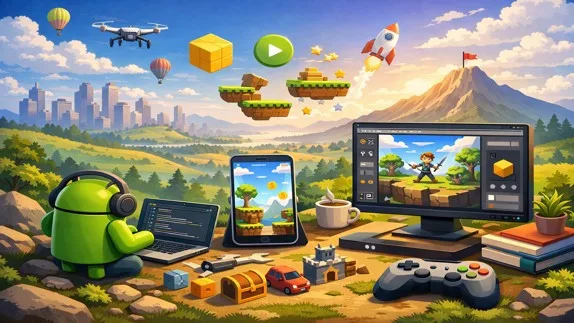
A step-by-step guide to Android game development for beginners, covering essential tools, basic concepts, and how to build and publish your first mobile game
A Beginner’s Guide to Android Game Development
- 👨🏫 Author: mohammad saleh salmanzadeh
- 🌐 Language: Persian / English
- 📝 Creation Date:
- 📅 Last Updated Date:
- 📂 Category: Game Engines
- 🔗 Sharing:

A Beginner’s Guide to Android Game Development
Introduction
Game development may sound complex and intimidating, especially for beginners with no technical background. Many people assume that creating an Android game requires advanced programming skills, years of experience, or expensive tools. That assumption is wrong.
In reality, Android game development has become more accessible than ever. With the right tools, a clear learning path, and a step-by-step approach, anyone can build a simple Android game—even without prior coding knowledge.
This article is designed as a complete beginner-friendly guide to Android game development. You will learn what tools you need, how Android games are made, which skills matter most, and how to start building your first game from scratch.
What Is Android Game Development?
Android game development is the process of designing, building, testing, and publishing games for Android devices such as smartphones and tablets.
An Android game consists of:
Game logic (rules, scoring, movement)
Graphics and animations
User interaction (touch, swipe, buttons)
Sound and effects
The goal is to combine all these elements into an interactive experience that runs smoothly on Android devices.
Why Learn Android Game Development?
1. Huge Market Potential
Android is the most widely used mobile operating system in the world. Millions of users download games every day from the Google Play Store.
2. Low Entry Barrier
You don’t need expensive hardware or paid software. Most tools for Android game development are free.
3. Creative Freedom
Game development combines logic and creativity. You can turn ideas into playable experiences.
4. Career and Income Opportunities
Android games can generate income through ads, in-app purchases, or premium downloads.
Tools You Need to Get Started
Game Engines for Beginners
You don’t need to build everything from scratch. Game engines simplify the process.
Unity (Recommended)
Beginner-friendly
Uses C#
Massive learning resources
Supports 2D and 3D games
Godot
Lightweight and open-source
Simple scripting language
Great for 2D games
For absolute beginners, Unity is usually the best starting point.
Android Studio
Android Studio is the official development environment for Android apps and games. It includes:
Code editor
Emulator for testing
Performance tools
It is free and supported by Google.
Basic Concepts You Must Understand
Game Loop
The game loop is the core cycle of a game:
Update game state
Process user input
Render graphics
Every game runs on this loop.
Assets
Assets are everything visible or audible in your game:
Images
Sounds
Animations
Fonts
Scenes and Levels
Games are divided into scenes:
Main menu
Gameplay
Game over screen
Each scene represents a part of the game.
Programming Basics (Don’t Panic)
You don’t need to be a programmer before you start. You learn as you build.
Common Programming Concepts
Variables (store data)
Conditions (if something happens, do something)
Loops (repeat actions)
Functions (reusable actions)
Game engines simplify coding with visual tools and templates.
Creating Your First Simple Android Game
Step 1: Choose a Simple Idea
Bad idea: “An open-world multiplayer RPG.”
Good idea: “A tap-to-jump 2D game.”
Start small.
Step 2: Set Up the Game Engine
Install Unity
Create a 2D project
Set target platform to Android
Step 3: Design the Gameplay
Ask simple questions:
What does the player do?
How does the player win or lose?
What makes the game fun?
Step 4: Add Basic Controls
Touch-based controls are common:
Tap
Swipe
Hold
Unity provides built-in support for touch input.
Step 5: Add Visuals and Sounds
Use free asset websites:
OpenGameArt
Kenney.nl
Do not waste time creating perfect graphics at the beginning.
Testing and Debugging Your Game
Use the Android Emulator
Test your game on different screen sizes and Android versions.
Test on Real Devices
Always test on at least one real Android phone. Emulators don’t catch everything.
Fix Common Issues
Performance drops
Screen scaling problems
Touch input bugs
Debugging is part of development. Expect mistakes.
Optimizing Your Android Game
Performance Optimization
Reduce image sizes
Limit heavy animations
Avoid unnecessary background processes
User Experience
Clear instructions
Simple UI
Fast loading times
A game that runs smoothly beats a beautiful game that crashes.
Publishing Your Game on Google Play Store
Create a Developer Account
You need a Google Play Developer account (one-time fee).
Prepare Store Assets
App icon
Screenshots
Description (SEO matters here)
Upload and Review
Google reviews your app before publishing. This may take a few days.
Optimize Description
Explain clearly:
What the game is about
Why users should download it
What makes it unique
Regular Updates
Google favors actively maintained apps.
Common Beginner Mistakes
Trying to Build a Big Game Too Soon
This kills motivation fast.
Ignoring Performance
A laggy game gets uninstalled quickly.
Quitting After the First Bug
Bugs are normal. Every developer deals with them.
Learning Resources
Online Courses
Unity Learn
Coursera
Udemy
YouTube Channels
Brackeys
Game Maker’s Toolkit
Unity official channel
Practice
Tutorials teach tools. Practice builds skill.
Conclusion
Android game development is not magic, and it is not reserved for experts. It is a learnable skill that combines creativity, logic, and persistence.
If you start small, use the right tools, and accept mistakes as part of the process, you can build real Android games—even as a complete beginner.
The most important step is not choosing the perfect engine or learning every feature. The most important step is starting.
Build simple. Learn fast. Improve continuously.
📚 Related content:
- The Best Game Engine for Beginners: A Complete Guide
- Unity Training: A Complete Beginner’s Guide to Game Development
Question 1
How should I start learning Android game development?
Answer:
Start by installing a beginner-friendly game engine such as Unity or Godot. Build small projects to learn the fundamentals of game development, including gameplay, scenes, and touch controls through hands-on practice.
Question 2
Which game engine is best for Android game development?
Answer:
Unity is one of the best choices for Android game development. It uses C#, offers extensive learning resources, and supports both 2D and 3D games. Godot is another excellent free and lightweight option for beginners.
Question 3
Do I need programming experience to create Android games?
Answer:
No. Many beginners learn programming while building games. Modern game engines simplify many technical tasks, making it easier to learn game development step by step.
Question 4
What do I need to publish an Android game on Google Play?
Answer:
You'll need a Google Play Developer account, store assets such as an app icon, screenshots, and a game description, then submit your game for Google's review before it becomes available to users.
Question 5
What is the most common mistake beginners make in Android game development?
Answer:
The biggest mistake is starting with a project that is too large. Creating a small, complete game is the best way to gain experience, improve your skills, and stay motivated.
- 🗨️ No comments have been posted for this article yet. Be the first!